
The Invoicing Tool is only available through the SWAT RECORDS Desktop App.
You can access the Invoicing Tool by:
1. Open the SWAT RECORDS Desktop.
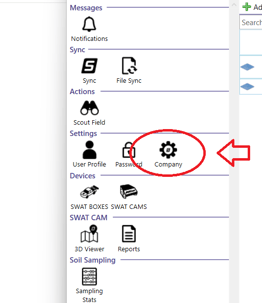
2. On the main page, double-click Company under Settings.
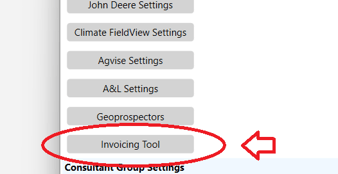
3. Click Invoicing Tool.
4. This opens the main Invoicing Tool screen, where you can view a dashboard of all your farm clients and total area (ac/ha), broken down by service.